Seller training portal development India helps businesses, marketplaces, distributors and organizations create a dedicated online platform where sellers can learn, access resources, complete training and improve their marketplace performance. Instead of sending training material through emails, WhatsApp groups or separate documents, a seller training portal brings everything into one place.
Table of Contents
A professional seller training portal can include courses, video lessons, downloadable resources, quizzes, assessments, seller dashboards, certificates and progress tracking.
For organizations that need custom functionality, NJ Technos can develop WordPress-based solutions according to the required seller training workflow.
What Is a Seller Training Portal?
A seller training portal is an online learning platform created specifically for sellers, vendors, dealers, distributors or marketplace partners.
The portal allows sellers to log in and access training material based on their requirements.
For example, a seller may find courses about:
- Product listing
- Marketplace rules
- Order management
- Inventory management
- Customer service
- Advertising
- Returns and refunds
- Seller policies
- Product photography
- Sales growth
- Platform guidelines
Instead of providing the same information repeatedly, businesses can create structured training once and make it available to sellers whenever required.
9 Powerful Features of Seller Training Portal Development India

1. Seller Registration and Login
A seller training portal should provide a simple registration and login system.
After logging in, sellers can access their personal dashboard and assigned training.
The system can store information such as:
- Seller name
- Business name
- Phone number
- Seller ID
- Business category
- Registration date
- Training status
Different sellers can receive different training depending on their category or business requirements.
2. Seller Training Courses
The main feature of a seller portal is structured online training.
Courses can be divided into categories such as:
| Course Category | Example Training |
|---|---|
| Getting Started | Seller onboarding |
| Product Listing | Titles, descriptions and images |
| Orders | Order processing |
| Inventory | Stock management |
| Marketing | Seller advertising |
| Customer Service | Handling customers |
| Policies | Marketplace guidelines |
| Growth | Improving sales |
Each course can contain multiple lessons so sellers can learn step by step.
3. Video Training and Learning Resources
Training portals can support different types of educational content.
A lesson can contain:
- Videos
- Text
- Images
- PDFs
- Presentations
- Downloadable guides
- Infographics
- External resources
For example, a product listing course could have a video explaining how to create a product listing followed by a downloadable checklist.
This makes the training more useful than simply providing a large collection of PDF documents.
Seller Dashboard
A personalized dashboard gives sellers a clear overview of their learning progress.
The dashboard can display:
Welcome, Seller
- Assigned courses
- Completed courses
- Courses in progress
- Pending assessments
- Certificates
- Training percentage
- Recommended courses
For example:
Training Progress: 70%
This helps sellers understand what they have already completed and what they still need to finish.
4. Progress Tracking
Progress tracking is important for structured seller training.
The system can record:
- Course started
- Lesson completed
- Video watched
- Quiz completed
- Assessment passed
- Course completed
Administrators can also see which sellers have completed required training.
This can be particularly useful when training is mandatory before sellers are allowed to access certain marketplace features.
5. Quizzes and Assessments
A seller training portal can include quizzes after individual lessons or complete courses.
Questions can include:
- Multiple choice
- True or false
- Single answer
- Multiple answer
For example, after completing a product listing course, sellers can take a short assessment.
The system can automatically calculate the score.
A passing score can also be configured.
For example:
Required Score: 80%
If the seller achieves 85%, the course can be marked as completed.
6. Certificates for Completed Training
Certificates can provide sellers with proof that they have completed specific training.
A certificate may contain:
- Seller name
- Course name
- Completion date
- Certificate number
- Organization name
- Training duration
The portal can allow sellers to download their certificates from their dashboard.
Certificates can also be generated automatically after successful course completion.
7. Seller-Specific Training
Not every seller needs the same training.
A strong seller training portal development India solution can assign courses based on seller type.
For example:
New Seller
- Seller onboarding
- Account setup
- Product listing
- Order processing
Experienced Seller
- Advanced advertising
- Sales optimization
- Inventory planning
- Customer retention
Premium Seller
- Advanced marketplace strategy
- Promotional campaigns
- Business analytics
- Growth planning
This makes the learning experience more relevant.
8. Admin Training Management
Administrators need a separate dashboard to manage the entire training platform.
They can:
- Create courses
- Add lessons
- Upload videos
- Add PDFs
- Create quizzes
- Assign courses
- View seller progress
- Manage certificates
- Export reports
- Manage seller accounts
The administrator should be able to update training material without requiring technical knowledge for every small change.
9. Reports and Training Analytics
Training analytics help organizations understand how sellers are using the portal.
Reports can include:
- Total registered sellers
- Active learners
- Completed courses
- Incomplete courses
- Average quiz score
- Course completion rate
- Certificate count
- Most popular courses
For example:
| Training Metric | Example |
|---|---|
| Registered Sellers | 2,500 |
| Active Learners | 1,920 |
| Completed Courses | 4,850 |
| Certificates Issued | 1,740 |
| Average Quiz Score | 86% |
These reports can help administrators identify areas where sellers may need additional support.
Why Businesses Need a Seller Training Portal
As the number of sellers increases, manually managing training becomes difficult.
A seller training portal provides one centralized location for seller education.
Instead of sending:
- Training PDFs by email
- Videos through WhatsApp
- Instructions through separate documents
- Quiz links from different platforms
the business can provide everything through one portal.
The seller simply logs in and starts learning.
Seller Onboarding Through a Training Portal
A seller training portal can become part of the complete seller onboarding process.
The workflow can be:
Seller Registration → Account Approval → Training Assigned → Course Completion → Assessment → Certificate → Seller Activation
This creates a structured onboarding process.
New sellers can receive the required training automatically after their accounts are approved.
Mobile-Friendly Seller Training
Many sellers may access the training portal through smartphones.
Therefore, mobile responsiveness is important.
The portal should work properly on:
- Smartphones
- Tablets
- Laptops
- Desktop computers
Videos should be easy to watch, buttons should be easy to tap and course navigation should remain simple on smaller screens.
A responsive training portal also makes it easier for sellers to complete lessons while managing their businesses.
Seller Training Portal With WordPress
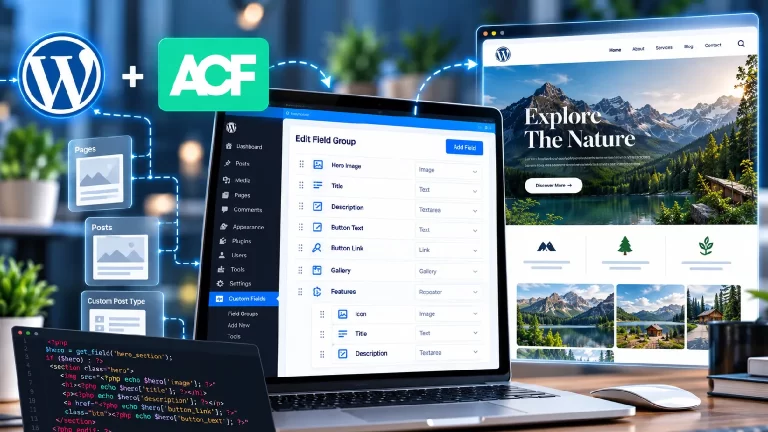
WordPress can be used to create a seller training platform when the project requires a flexible content management system and customized functionality.
A WordPress-based portal can manage:
- Seller accounts
- Courses
- Training content
- User roles
- Assessments
- Certificates
- Progress
- Custom dashboards
For more advanced requirements, custom functionality can be developed through a plugin.
The official WordPress Developer Resources provide documentation for developing and extending WordPress websites.
For organizations requiring customized workflows, custom WordPress plugin development can be used to create seller-specific functionality instead of relying entirely on ready-made plugins.
Learning Management System Features
A seller training portal can include many features commonly found in learning management systems.
These can include:
- Course management
- Lesson management
- Video learning
- Quizzes
- Assessments
- Progress tracking
- Certificates
- User dashboards
- Reports
- Notifications
However, seller training has a different purpose from a traditional educational LMS.
The content is focused on helping sellers understand products, processes, marketplace rules and business operations.
Seller Resource Library
Apart from courses, sellers may need access to a resource library.
The library can contain:
- Seller guides
- Product catalogs
- Brand guidelines
- Marketing materials
- Pricing documents
- Policy documents
- Product images
- Training PDFs
- Frequently asked questions
A search and filter system can help sellers find resources quickly.
Seller Training Notifications
Notifications can remind sellers about unfinished training.
For example:
Your Product Listing Course is 60% complete. Continue learning to finish the course.
Notifications can also be used for:
- New courses
- Mandatory training
- Expiring certificates
- New policies
- Training deadlines
- Assessment results
Email notifications can be connected to the seller’s account.
Gamification for Seller Training
Organizations can make training more engaging by adding gamification.
Possible features include:
- Points
- Badges
- Completion levels
- Leaderboards
- Achievement certificates
For example:
Seller Training Level 3 – Advanced Seller
This can encourage sellers to complete more training modules.
Gamification should support the training objective rather than making the portal unnecessarily complicated.
Multi-Level Seller Training
Large organizations may have different seller groups.
A portal can create separate learning paths for:
- New sellers
- Existing sellers
- Premium sellers
- Distributors
- Dealers
- Resellers
- International sellers
Each group can receive relevant training.
This prevents sellers from being overwhelmed by courses that do not apply to their business.
Seller Training and E-Commerce Integration
A seller portal can potentially integrate with an ecommerce or marketplace platform.
For example:
Seller Account → Training Portal → Course Completion → Seller Status
An organization could require specific training before enabling certain seller features.
Payment and ecommerce functionality can also be integrated when required.
For WordPress-based ecommerce projects, WooCommerce provides extensive developer documentation through its official WooCommerce Developer Resources.
Security for Seller Training Portals
A seller training portal can contain private business information, so security should be considered during development.
Important features can include:
- Secure authentication
- Role-based permissions
- HTTPS
- Protected course content
- Secure file access
- Regular backups
- Admin access controls
- Input validation
- Secure database management
Sellers should only have access to the information and courses assigned to them.
Scalability for Growing Seller Networks
A small business may begin with 100 sellers but eventually have thousands.
The portal should therefore be planned with future growth in mind.
Scalability can include:
- Optimized database queries
- Efficient hosting
- Caching
- Content delivery
- Optimized videos
- Structured course management
- Efficient user roles
A scalable system reduces the need for a complete rebuild when the seller network grows.
Seller Training Portal vs Traditional Training
| Feature | Traditional Training | Online Seller Portal |
|---|---|---|
| Training location | Physical/Multiple platforms | Centralized |
| Video learning | Limited | Available |
| Progress tracking | Manual | Automatic |
| Assessments | Manual | Digital |
| Certificates | Manual | Automated |
| Seller dashboard | No | Yes |
| Reports | Difficult | Available |
| Mobile learning | Limited | Yes |
| Course updates | Repeated communication | Centralized |
How Much Does Seller Training Portal Development Cost?
The cost depends on the number and complexity of features.
A basic seller training website may include:
- Seller login
- Course pages
- Video lessons
- Resource downloads
- Basic dashboard
An advanced platform may include:
- Seller-specific learning paths
- Quizzes
- Certificates
- Analytics
- Automated notifications
- API integration
- Ecommerce integration
- Advanced admin dashboard
- Multiple seller roles
Therefore, development pricing should be based on the complete feature list and workflow.
Common Mistakes in Seller Training Portal Development
Making the Portal Too Complicated
Sellers should be able to find their training without navigating through unnecessary pages.
Ignoring Mobile Users
A large number of users may access training through smartphones.
No Progress Tracking
Without progress tracking, sellers may not know which lessons they have completed.
No Search
A large resource library becomes difficult to use without search and filtering.
One Training Path for Everyone
Different sellers may require different training.
No Analytics
Without reports, administrators cannot easily identify training gaps.
Poor Video Performance
Large video files can make the portal slow if they are not delivered efficiently.
How to Choose a Seller Training Portal Development Company
Before selecting a development company, check whether the team can handle:
- Custom WordPress development
- Seller dashboards
- LMS functionality
- User roles
- Course management
- Quiz systems
- Certificate generation
- API integration
- Mobile responsive design
- Website security
- Ongoing maintenance
The development company should understand both the technical requirements and the seller training workflow.
Frequently Asked Questions
What is seller training portal development India?
Seller training portal development India refers to creating an online platform where sellers can access courses, videos, resources, assessments and training information.
Can sellers have individual dashboards?
Yes. Each seller can have a personal dashboard showing assigned courses, progress, certificates and other relevant information.
Can different sellers receive different courses?
Yes. Courses can be assigned based on seller type, category, experience or business requirements.
Can quizzes be added to the portal?
Yes. Multiple-choice, true/false and other assessment formats can be integrated.
Can the portal issue certificates?
Yes. Certificates can be generated automatically after completing required courses or passing assessments.
Can the portal be built with WordPress?
Yes. WordPress can be customized to create seller accounts, dashboards, courses and custom training functionality.
Can seller training be accessed on mobile?
Yes. The portal can be designed to work across smartphones, tablets and desktop devices.
Can administrators track seller progress?
Yes. Administrators can view course completion, assessment scores, certificates and other training data.
Can a seller training portal integrate with another platform?
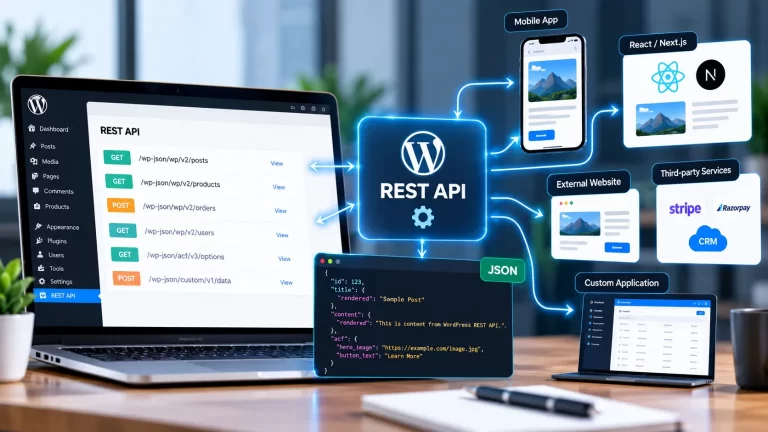
Yes. APIs can be used to connect the portal with CRM, ecommerce, marketplace, ERP or other business systems where technically appropriate.
Final Thoughts
Seller training portal development India can help businesses create a centralized learning environment for their seller network.
Instead of managing training through separate emails, documents and communication channels, businesses can provide courses, videos, resources, quizzes, certificates and progress tracking through one platform.
A well-designed seller training portal can also support seller onboarding, personalized learning paths, mobile access, analytics and future integrations.
For businesses with specific seller workflows, custom WordPress development can provide the flexibility to create a training platform around their exact requirements.