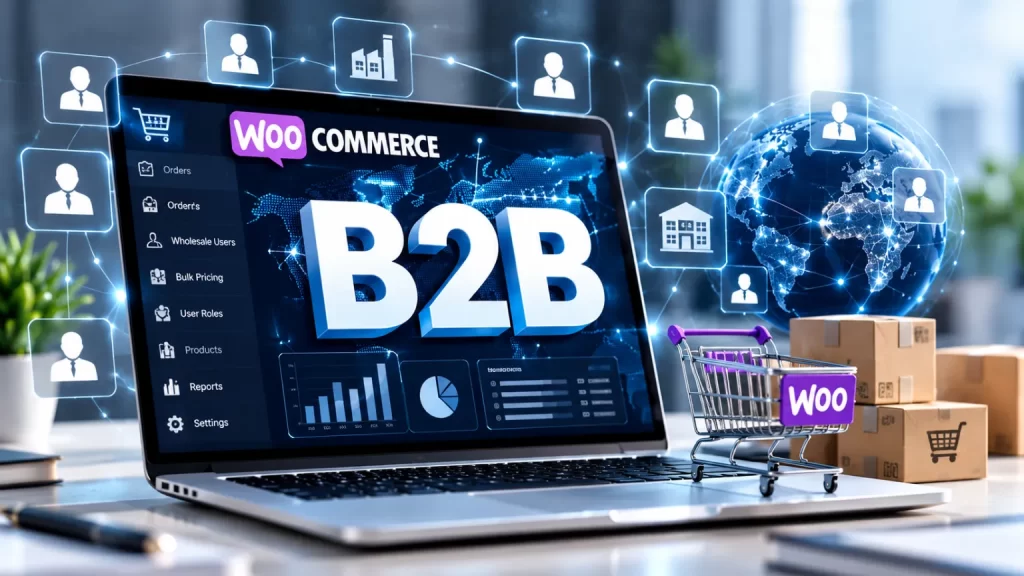
WooCommerce B2B wholesale store setup turns a standard WooCommerce shop into a store where approved business buyers see wholesale prices, order in bulk, meet minimum order rules and pay on suitable terms. It usually covers wholesale user roles, buyer registration and approval, role-based and tiered pricing, minimum order rules, GST-ready invoicing and a quick reorder experience, built with plugins, custom code or both.
A default WooCommerce store is built for retail. Wholesale buyers expect different things: trade prices, bulk quantities, tax details, repeat orders and sometimes credit terms. This guide covers who needs a WooCommerce B2B wholesale store setup, what it includes, 7 checks for choosing a developer, how projects are phased, and why NJ Technos can help.
Table of Contents
Who needs a WooCommerce B2B wholesale store setup?
| Who | What they typically need |
|---|---|
| Manufacturers | Trade prices, bulk ordering and dealer access |
| Distributors and wholesalers | Multiple buyer tiers, minimum orders and repeat orders |
| Brands selling to retailers | A private trade portal alongside a consumer store |
| Businesses running B2B and B2C together | Different prices and rules for each customer type |
| Suppliers with large catalogues | Fast ordering by SKU or spreadsheet, not product-by-product browsing |
| Companies moving offline orders online | Replacing phone, WhatsApp and email orders with a structured process |
If you also sell through other sellers, read our guide on WooCommerce multi vendor marketplace development, since a marketplace and a wholesale store solve different problems.
How is a B2B store different from a retail store?
| Area | Retail store | B2B wholesale store |
|---|---|---|
| Who can buy | Anyone | Approved business buyers, often after registration |
| Prices | One public price | Role-based, tiered or customer-specific prices |
| Order size | Single items | Minimum quantities or order values, bulk cases |
| Visibility | Prices public | Prices and products can be hidden from guests |
| Tax | Standard tax | GSTIN capture, GST invoices and tax handling |
| Payment | Card, UPI, wallets | Online payment, bank transfer or agreed credit terms |
| Ordering | Browse and add to cart | Quick order forms, reorders, CSV or SKU entry |
Standard WooCommerce handles the retail side well, but wholesale features such as role-based prices and minimum order rules usually come from extensions or custom code.
What does a WooCommerce B2B wholesale store setup include?
A thorough WooCommerce B2B wholesale store setup covers these 12 things:
- Wholesale user roles. Separate roles such as wholesaler, distributor or retailer, each with its own rules.
- Registration and approval. A wholesale application form with manual approval, so only genuine businesses get trade access.
- Role-based pricing. Different prices per role, per product or per category.
- Tiered pricing. Automatic price breaks as quantity increases.
- Minimum order rules. Minimum quantity, step quantity or minimum order value.
- Price and product visibility. Hide wholesale prices from public visitors if needed.
- Quick order forms. Order by SKU, product table or spreadsheet upload for large catalogues.
- GST and invoicing. Capture GSTIN, show it on invoices and handle tax correctly for B2B orders.
- Payment options. Online payment, bank transfer and, if you offer it, approved credit terms.
- Shipping rules. Rates and rules that suit bulk and pallet-size shipments.
- Customer accounts. Order history, reorder buttons and saved details.
- Quotes (optional). A request-for-quote flow for custom or large orders.
Important: always take a backup and build on a staging copy first. Pricing rules and tax settings affect every order, so they need testing before launch.
Should you use plugins or custom development?
Both work, and many stores combine them. Plugins are faster to start with. Wholesale plugins such as Wholesale for WooCommerce and the free Wholesale & Tiered Pricing for WooCommerce list features like wholesale roles, tiered pricing and minimum order rules. These are examples to show what the category offers, not recommendations. Always compare current features and pricing before choosing.
| Approach | Often a good fit when |
|---|---|
| Plugin-based | You need standard roles, tiered pricing and minimum orders quickly |
| Plugin plus custom code | You need standard features plus your own rules, such as dealer-specific prices or ERP sync |
| Fully custom | Your pricing, approval or ordering logic doesn’t fit any plugin |
If your rules are unusual, our guide on custom WooCommerce plugin development India explains when custom development makes sense.
How do you choose a WooCommerce B2B wholesale store setup partner? 7 checks
These 7 checks help you shortlist the right WooCommerce B2B wholesale store setup partner.
1. Ask for real B2B or wholesale examples
Ask to see stores with trade pricing, approvals or bulk ordering. A retail store is not the same experience.
2. Ask how they’d handle your pricing rules
Write down your price tiers, special customers and minimum orders. A good partner explains how each will work before they quote.
3. Confirm GST and invoicing
Check that they can capture GSTIN, produce GST-ready invoices and handle your tax setup. Confirm the details with your accountant.
4. Check how buyers are approved and protected
Ask how wholesale applications are reviewed and how trade prices stay hidden from the public. Our WordPress security hardening service guide explains how to protect customer data, and the official WordPress hardening guide is a useful reference.
5. Test the ordering experience
A B2B buyer placing 30 line items needs a fast order form, not 30 product page visits. Ask for a demo of bulk ordering and reordering.
6. Make sure you own everything
Your hosting, domain, plugin licences and admin access should be in your name, with a clear handover.
7. Agree on support and maintenance
Pricing plugins, WooCommerce and payment extensions all need updates. Agree response times and a maintenance plan, such as a website maintenance AMC, in writing.
How is a B2B project phased, and what affects cost?
Most projects with a WooCommerce B2B wholesale store setup partner follow these phases:
| Phase | What happens |
|---|---|
| 1. Discovery | Map buyer types, price tiers, minimum orders, tax and payment terms |
| 2. Planning | Choose plugins or custom features and plan the buyer journey |
| 3. Staging build | Set up roles, pricing, registration, order forms and invoicing |
| 4. Data import | Add products, price lists and existing customers |
| 5. Testing | Test each role, price tier, tax case, checkout and mobile view |
| 6. Launch and training | Go live and train your team to approve buyers and manage orders |
| 7. Support | Ongoing updates, monitoring and improvements |
What affects cost: the number of buyer types and price tiers, catalogue size, custom pricing or approval rules, integrations with accounting, ERP or CRM, premium plugin licences, design needs, and the level of ongoing support. Ask for a written quote after discovery.
Why choose NJ Technos for WooCommerce B2B wholesale store setup?
NJ Technos is a Delhi-based web design and development company, working since 2006 and with 500+ websites built. As a WooCommerce B2B wholesale store setup partner, we bring:
- WooCommerce development experience. We build and customise WooCommerce stores, so we understand how pricing, checkout and plugins fit together.
- Custom development when needed. If plugins can’t match your pricing or approval rules, we build the missing pieces.
- India-ready setups. GST-friendly invoicing, Indian payment gateways and mobile-first design. See our guide on WooCommerce payment gateway integration India.
- Speed and security in mind. Large catalogues need fast pages. Read our WooCommerce speed optimization service guide.
- Support after launch. Website maintenance and support is one of our services.
If you’re also planning gated access for trade buyers, see our guide on WordPress membership site development India, and explore all our services.
Planning a B2B wholesale store?
Tell us about your products, buyer types and pricing rules, and we’ll recommend a clear plan and quote. Reach us through our contact page, email info@njtechnos.com or call +91 783 830 0319.
FAQs: WooCommerce B2B wholesale store setup
Add these with the Rank Math FAQ block so FAQPage schema is generated.
What is a WooCommerce B2B wholesale store setup?
It is the process of configuring WooCommerce for business buyers, with wholesale roles, trade pricing, minimum orders, approvals, GST-ready invoicing and bulk ordering.
Can WooCommerce do wholesale without plugins?
WooCommerce handles basic selling, but features like role-based pricing, tiered discounts and minimum order rules usually need an extension or custom code.
Can I run a wholesale and retail store on one website?
Yes. Wholesale roles let you show different prices and rules to different customers on the same store.
Can I hide wholesale prices from the public?
Yes. Many setups show prices only to logged-in, approved buyers. Your developer can configure this and test it.
Can wholesale buyers use GST invoices?
A store can capture GSTIN and generate GST-ready invoices. Confirm your exact tax setup with your accountant.
How long does a B2B store setup take?
It depends on the number of buyer types, the catalogue size and any custom rules. Ask for a timeline after discovery.
Do you work with clients outside Delhi?
Yes. NJ Technos is based in Delhi and works with clients across India.
Final verdict: WooCommerce B2B wholesale store setup
A good WooCommerce B2B wholesale store setup starts with your buyers and pricing rules, then chooses plugins, custom code or both to match. Choose a partner with real B2B experience, a clear plan for GST and approvals, a fast bulk-ordering experience and ongoing support, and make sure you own everything.
If you need a WooCommerce B2B wholesale store setup that businesses in India can rely on, NJ Technos has been building and supporting WordPress and WooCommerce websites since 2006.
Let’s plan your wholesale store
Share your products, buyer types and pricing rules, and we’ll recommend a clear plan. Contact us through our contact page.