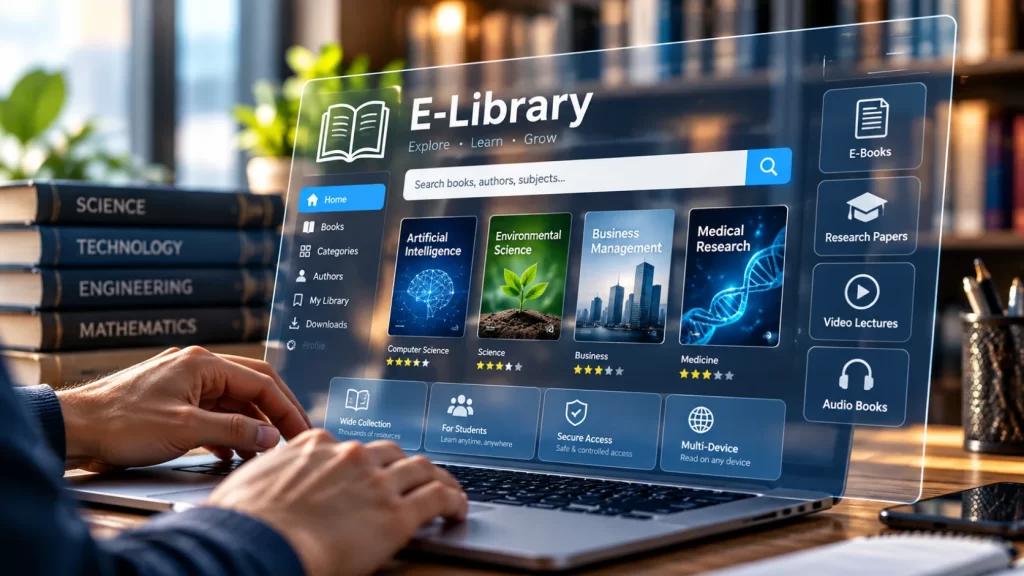
The demand for online access to books, research papers, educational resources and digital learning materials has made digital libraries an important part of modern education. Professional digital library website development India can help schools, colleges, universities, publishers, coaching organizations and educational businesses provide students and members with secure access to digital resources from different devices.
Table of Contents
A digital library website is more than a collection of PDF files. A well-developed platform can organize thousands of books and documents, provide powerful search and filtering, manage users, control access, track activity and create a convenient reading experience.
Whether you are building a student library, university repository, institutional resource center or commercial e-library, the website should be designed around the way users actually search for and consume digital content.
What Is Digital Library Website Development?
Digital library website development India involves designing and developing an online platform where users can discover, access, read and manage digital educational or informational resources.
A digital library may contain:
- E-books
- PDF books
- Research papers
- Journals
- Study materials
- Course resources
- Question papers
- Academic publications
- Magazines
- Reports
- Documents
- Video resources
- Audio resources
The platform can also include different user roles.
For example:
Students
Can search and access permitted books.
Teachers
Can access teaching resources.
Institutions
Can manage users and subscriptions.
Administrators
Can manage books, users, access rules and reports.
This makes a digital library considerably different from a normal WordPress blog or document-download website.
Why Do Organizations Need a Digital Library Website?
Traditional libraries require users to physically visit a location.
A digital library can provide access through:
- Desktop computers
- Laptops
- Tablets
- Smartphones
Users can search for a resource without manually checking shelves or catalogs.
A well-developed digital library can help organizations:
- Centralize digital resources
- Improve resource discovery
- Give students remote access
- Organize thousands of books
- Control user permissions
- Track resource usage
- Reduce manual administration
- Provide searchable content
- Support online learning
- Improve the overall reading experience
For educational institutions, this can create a central digital resource environment for students and faculty.
9 Powerful Features for Digital Library Website Development India
1. Create a Powerful Digital Library Catalog
The catalog is the foundation of a digital library.
Every resource should have structured information such as:
- Book title
- Author
- Publisher
- ISBN
- Category
- Subject
- Publication year
- Language
- Edition
- Description
- Cover image
- File format
- Access level
Instead of presenting hundreds of files in a simple list, the website should organize resources into searchable records.
For example:
Computer Science
→ Programming
→ Artificial Intelligence
→ Data Science
→ Web Development
Commerce
→ Accounting
→ Finance
→ Economics
→ Business Management
This structure helps users find relevant resources quickly.
2. Add Advanced Search and Filtering
Search is one of the most important features of a digital library.
A growing library may contain hundreds or thousands of resources.
Users should be able to search by:
- Title
- Author
- ISBN
- Subject
- Category
- Publisher
- Year
- Language
- Keyword
Filters can further narrow results.
For example:
Category: Computer Science
Subject: Artificial Intelligence
Year: 2026
The result should display only the relevant resources.
A good search experience can significantly reduce the time users spend looking for information.
3. Build Secure User Login and Access Control
Not every digital library resource needs to be publicly accessible.
An organization may want different access levels.
For example:
| User Type | Access |
|---|---|
| Guest | Public resources |
| Student | Assigned library |
| Teacher | Teaching resources |
| Institution | Institutional collection |
| Administrator | Full management |
A secure login system can control which resources each user can access.
This is particularly useful for educational organizations offering subscription-based or institution-specific digital libraries.
4. Create Individual Book Pages
Each book should have its own dedicated page.
A book page can display:
- Cover image
- Book title
- Author
- Description
- Subject
- Category
- Publisher
- ISBN
- Publication year
- Language
- Availability
- Access button
Depending on the access model, users could see buttons such as:
Read Online
Open Book
Download
Request Access
Add to Library
This creates a much better user experience than displaying raw PDF links.
5. Provide an Online Reading Experience
A digital library should ideally allow users to read resources directly through the website.
Instead of requiring users to download every file, a platform can provide an online reader.
Features may include:
- Page navigation
- Zoom
- Search within document
- Full-screen reading
- Bookmarking
- Reading progress
- Next/previous page
- Mobile reading
For educational platforms, an online reader can make the library easier to access from different devices.
The exact reader functionality should depend on the type and licensing of the digital content.
6. Add Personalized Student Dashboards
For student-focused libraries, personalized dashboards can provide a better experience.
A dashboard can display:
My Library
Recently Opened
Continue Reading
Saved Books
Recommended Resources
My Downloads
Reading History
Students can quickly return to resources they have previously accessed.
Institutions can also use dashboards to display announcements, new resources or recommended reading.
7. Build Institutional Access and Memberships
Educational organizations may need different access models.
For example:
Individual Access
A student purchases or receives their own account.
Institutional Access
A school or college provides access to its students.
Subscription Access
Users receive access for a defined subscription period.
Course-Based Access
Students can access resources assigned to a particular course.
Department-Based Access
Different departments receive different resource collections.
A flexible user-management system allows the library to support multiple business models.
8. Add Analytics and Library Reports
Administrators need to understand how the digital library is being used.
Useful reports can include:
- Total users
- Active users
- Most accessed books
- Most searched resources
- Downloads
- Reading activity
- New registrations
- Institution-wise usage
- Category-wise usage
- Recent activity
These insights can help administrators understand which resources are most valuable.
For example, if a particular textbook receives significantly more activity than other books, the institution may consider adding related resources.
9. Make the Digital Library Mobile-Friendly
Students and readers may access a digital library from smartphones, tablets and laptops.
The platform should therefore be responsive.
Important mobile features include:
- Mobile-friendly navigation
- Search
- Filters
- Book cards
- Online reader
- Login
- Dashboard
- Reading controls
- Download functionality
The website should remain easy to use even on smaller screens.
Digital Library Website Development for Schools
Schools can use digital libraries to provide students with access to:
- Textbooks
- Reference books
- Story books
- Practice materials
- Question papers
- Educational resources
- Worksheets
A school library platform can provide separate access for:
- Students
- Teachers
- Librarians
- Administrators
The system can also organize books by:
- Class
- Subject
- Language
- Academic year
For example:
Class 8
→ Mathematics
→ Science
→ English
→ Social Science
This makes resource discovery easier for students.
Digital Library Website Development for Colleges and Universities
Higher education institutions typically require more advanced organization.
A university digital library may contain:
- Textbooks
- Research papers
- Journals
- Theses
- Dissertations
- Conference papers
- Faculty publications
- Course materials
Resources can be categorized by:
- Department
- Faculty
- Subject
- Research area
- Author
- Publication year
A powerful search system becomes increasingly important as the collection grows.
Digital Library for Coaching Institutes
Coaching organizations can use digital libraries to provide students with additional study resources.
Resources can include:
- Study materials
- Mock tests
- Previous-year papers
- Reference books
- Notes
- Practice questions
- Video lessons
The library can be connected to student accounts so that only enrolled students can access particular resources.
For example:
NEET Student
→ Biology
→ Chemistry
→ Physics
→ Mock Tests
JEE Student
→ Mathematics
→ Physics
→ Chemistry
→ Previous Papers
This creates a more personalized learning environment.
Digital Library for Publishers
Publishers may use digital library platforms to provide online access to their catalogs.
A publisher website can include:
- Book catalog
- Author profiles
- Subject categories
- Sample chapters
- Digital editions
- Search
- User accounts
- Subscription options
The platform can also connect with an ecommerce system if users need to purchase digital books.
For ecommerce requirements, WooCommerce development services can be considered where appropriate.
Digital Library Website Development for Corporate Training
Digital libraries are not limited to schools and universities.
Companies can create internal knowledge libraries for employees.
Resources may include:
- Training manuals
- Company policies
- Technical documents
- Product documentation
- Training books
- Research reports
- Internal guides
Access can be restricted to employees.
The system can organize resources by department:
Sales
Marketing
Technology
Human Resources
Operations
This creates a centralized internal knowledge platform.
Digital Library vs Traditional Library
A digital library does not necessarily replace a physical library.
Instead, it can extend access beyond the physical location.
| Feature | Traditional Library | Digital Library |
|---|---|---|
| Physical location | Required | Not always required |
| 24/7 access | Limited | Possible |
| Remote access | No | Yes |
| Search | Catalog-based | Advanced digital search |
| Physical storage | Required | Digital storage |
| Multiple users | Depends on copies | Depends on licensing/access |
| Usage analytics | Limited | Detailed |
| Mobile access | No | Yes |
| Digital resources | Limited | Core feature |
The right model depends on the organization’s resources and objectives.
Digital Library Website Design and User Experience
A digital library can contain a large amount of information.
Good UX is therefore essential.
The main navigation can include:
Home
Library
Categories
Subjects
Authors
New Arrivals
My Library
About
Contact
The search bar should be easy to find.
Users should not have to navigate through several pages before they can search for a book.
Book Categories and Taxonomy
A well-structured taxonomy makes a digital library easier to manage.
Categories can include:
- Science
- Mathematics
- Technology
- Business
- Commerce
- Literature
- History
- Geography
- Law
- Medicine
- Engineering
Additional filters can include:
- Author
- Language
- Year
- Publisher
- Level
- Format
For large libraries, custom taxonomies can make resource management considerably easier.
Secure Digital Content Management
Digital content needs appropriate protection.
Organizations may want to restrict:
- Downloading
- Printing
- Copying
- Sharing
- Direct file access
The exact controls should depend on content ownership, licensing agreements and the organization’s access policy.
Technical measures can include:
- User authentication
- Permission controls
- Protected file paths
- Expiring access
- Role-based access
- Secure URLs
- Download restrictions
No technical system can guarantee that digital content will never be copied, so security should be considered alongside appropriate licensing and content policies.
Digital Library Website Development and WordPress
WordPress can be used as the foundation for many digital library platforms.
A customized WordPress implementation can support:
- Custom book post types
- Book categories
- Authors
- Subjects
- Custom fields
- User accounts
- Memberships
- Search
- Filters
- Digital resources
- Dashboards
- Forms
- Analytics
For organizations requiring custom functionality, a WordPress development company in Delhi can develop the platform around specific library requirements.
Custom post types and structured content can make it easier for administrators to manage large collections.
Custom Plugin Development for Digital Libraries
Standard plugins may not always provide the exact workflow required by an institution.
Custom plugin development can be useful for:
- Book management
- Student access
- Institutional accounts
- Custom search
- Reading dashboards
- Access restrictions
- Reports
- Library memberships
- Custom APIs
- User activity tracking
For specialized requirements, custom WordPress plugin development can provide functionality designed specifically around the library’s workflow.
Digital Library and Student Management
An educational digital library can be connected to a student management system.
For example:
Student Registration
↓
Student Account
↓
Library Access
↓
Assigned Books
↓
Reading Activity
This can reduce manual administration.
An institution could also assign books according to:
- Class
- Course
- Department
- Semester
- Batch
This is particularly useful for institutions with large numbers of students.
Digital Library Website Search Strategy
Search should be designed around the way users actually look for resources.
Users may search:
“Physics”
or:
“Class 12 Physics”
or:
“Principles of Economics”
or:
“Author Name”
The system should ideally return relevant results even when the user does not know the exact title.
Search can be improved through:
- Keyword indexing
- Categories
- Taxonomies
- Author filters
- Subject filters
- Year filters
- Search suggestions
For large collections, more advanced search technology may be appropriate.
SEO for Digital Library Websites
SEO can help public digital libraries make their resources discoverable through search engines.
Important elements include:
Descriptive Book Titles
Use the actual title of the resource.
Author Information
Display author information clearly.
Subject Categories
Organize content around relevant topics.
Individual Resource URLs
Each publicly accessible resource should have a stable URL where appropriate.
Metadata
Include relevant descriptions and structured information.
Internal Linking
Connect related books and resources.
XML Sitemap
Help search engines discover indexable pages.
Mobile Performance
Ensure the website works well on smartphones.
Google provides technical search guidance through Google Search Central.
For private institutional libraries, however, not every resource page needs to be publicly indexed. Access and privacy requirements should determine which content is publicly discoverable.
Digital Library Website Performance
Large libraries can become technically demanding.
A platform may contain:
- Thousands of books
- Large PDF files
- Many users
- Multiple search filters
- User dashboards
- Reading activity
- Analytics
Performance planning is therefore important.
Useful techniques include:
- Efficient database queries
- Caching
- Optimized images
- CDN for appropriate assets
- Lazy loading
- Optimized CSS
- Optimized JavaScript
- Database maintenance
- Efficient search
The architecture should be designed for the expected number of users and resources.
Accessibility for Digital Libraries
A digital library should be usable by people with different accessibility requirements.
Important considerations include:
- Keyboard navigation
- Clear focus states
- Sufficient color contrast
- Readable typography
- Descriptive labels
- Accessible forms
- Alternative text for images
- Accessible document formats where possible
The W3C Web Accessibility Initiative provides useful accessibility guidance.
Accessibility should be considered during design and development rather than added at the end.
How Much Does Digital Library Website Development Cost in India?
There is no fixed price for digital library website development.
The cost depends on the platform’s complexity.
Factors include:
- Number of books
- Number of users
- User roles
- Search requirements
- Filters
- Online reader
- Download system
- Memberships
- Institutional access
- Student dashboards
- Analytics
- API integrations
- Security requirements
- Content migration
- Maintenance
A small digital library with a few hundred resources will have very different requirements from a university platform containing tens of thousands of resources.
The project scope should therefore be defined before comparing development costs.
How to Choose a Digital Library Development Company
Before hiring a development company, evaluate:
Experience With Large Content Platforms
Ask whether the team has experience managing large amounts of structured content.
Search and Filtering
Make sure the developers understand advanced search requirements.
User Management
Check whether they can implement role-based access.
Security
Digital content and user information need appropriate protection.
Scalability
The platform should be capable of growing with the library.
Mobile Experience
Test the platform across different devices.
SEO
Public resources should be structured for search visibility where appropriate.
Support
Ask about maintenance, updates, backups and technical support after launch.
Common Digital Library Website Mistakes
Uploading Files Without Structure
A collection of PDF links is not a complete digital library experience.
Weak Search
Users should be able to find resources quickly.
No User Access Controls
Private resources should not be publicly accessible.
Poor Mobile Experience
Students increasingly use smartphones to access digital content.
Unoptimized PDFs and Images
Large files can create unnecessary loading and storage problems.
No Analytics
Administrators need to understand how resources are being used.
Poor Navigation
Categories and filters should be intuitive.
Ignoring Scalability
The platform should be planned for future growth.
No Backup Strategy
Digital resources and user information should be backed up appropriately.
Digital Library Website Development vs E-Learning Website
These platforms are related but serve different primary purposes.
| Feature | Digital Library | E-Learning Website |
|---|---|---|
| Books | Core | Optional |
| PDFs | Core | Common |
| Courses | Optional | Core |
| Lessons | Optional | Core |
| Online reader | Important | Optional |
| Student dashboard | Useful | Essential |
| Tests | Optional | Common |
| Search | Essential | Important |
| Resource categories | Essential | Important |
| User access | Important | Essential |
| Progress tracking | Useful | Core |
An organization may also combine both systems.
For example, a learning platform can include a digital library where students access supplementary books and research materials.
Digital Library Website Development for Institutional Access
Institutions may want a centralized platform where different organizations have separate collections.
For example:
Institution A
→ Student accounts
→ Books
→ Courses
Institution B
→ Student accounts
→ Books
→ Courses
This type of multi-tenant structure can be useful for educational technology businesses serving multiple institutions.
Access can be controlled according to:
- Institution
- Department
- Course
- Student
- Subscription
This requires careful planning of user roles and data permissions.
Internal Linking Strategy
For this page, use relevant internal links naturally.
Recommended links:
- NJ Technos
- WordPress development company in Delhi
- Custom WordPress plugin development
- Academic journal website development
- WooCommerce development company in Delhi
- Website maintenance services
For example, you can naturally write:
Organizations building a research-focused resource platform may also consider academic journal website development when their primary requirement is scholarly publishing rather than general library management.
External Resources
Use authoritative external links where relevant:
- Google Search Central — SEO and search visibility
- WordPress Developer Resources — WordPress development
- W3C Web Accessibility Initiative — accessibility
- Internet Archive — example of a large digital resource platform
These external references support the technical and digital-library sections without adding unnecessary links.
Why Choose NJ Technos for Digital Library Website Development?
A digital library requires more than a standard content website.
It needs structured resources, powerful search, user management, access control and a scalable content architecture.
NJ Technos can help organizations build customized digital platforms using WordPress and custom development where appropriate.
Services can include:
- Digital library website development
- Custom WordPress development
- Custom themes
- Custom plugins
- Book management
- Student dashboards
- User registration
- Search and filters
- Digital content management
- API integrations
- SEO-friendly development
- Performance optimization
- Website maintenance
Organizations that need specialized functionality can use custom WordPress plugin development to create library features beyond standard WordPress functionality.
For long-term technical support, website maintenance services can help with updates, security, troubleshooting and performance improvements.
Frequently Asked Questions
What is digital library website development?
Digital library website development involves creating an online platform where users can search, access, read and manage digital books, documents, research materials and other educational resources.
What features should a digital library website have?
Important features can include book catalogs, search, filters, user accounts, access control, online reading, downloads, dashboards, analytics and resource management.
Can WordPress be used to build a digital library?
Yes. WordPress can be customized with custom post types, taxonomies, user roles, custom fields and plugins to create many types of digital library platforms.
Can students have individual accounts?
Yes. A digital library can provide individual student accounts with access based on class, course, institution or subscription.
Can a digital library support multiple institutions?
Yes. A custom platform can be developed to provide separate collections and access permissions for different institutions.
Can users read books online without downloading them?
Yes. An online document reader can allow users to access supported resources directly through the website. The exact implementation depends on the file type and content licensing.
Can a digital library have advanced search?
Yes. Search can be developed around titles, authors, subjects, categories, keywords, publishers and other metadata.
Can digital library content be protected?
Access controls can restrict resources to authorized users. Additional technical measures can help reduce unauthorized access, subject to the organization’s licensing and content rights.
Is SEO important for a digital library?
For public resources, SEO can help users discover books and other resources through search engines. Private institutional content may instead require restricted access and should not necessarily be publicly indexed.
How much does digital library website development cost in India?
The cost depends on the number of resources, users, search requirements, dashboards, access controls, online reader, integrations, security and maintenance requirements.
Can an existing digital library be redesigned?
Yes. An existing library can be redesigned to improve navigation, search, mobile usability, performance and resource organization while retaining existing content.
Final Thoughts
A modern digital library should be more than a website containing downloadable files.
It should provide a structured environment where users can discover, search, access and use digital resources efficiently.
The right digital library website development India strategy combines a well-organized catalog, powerful search, secure user access, online reading, responsive design, analytics, SEO and scalable technology.
For schools, colleges, universities, publishers, coaching institutes and corporate organizations, a digital library can become an important part of the overall digital learning ecosystem.
With the right architecture, the platform can grow from a small collection into a large searchable resource library without making content management unnecessarily difficult.