Elementor to custom theme conversion is a practical solution for businesses that want to move from a page-builder-based website to a lightweight, custom WordPress theme. Elementor makes it easy to create websites visually, but some websites eventually accumulate extra widgets, CSS, JavaScript and builder-related code. A custom theme can provide more control over the website structure, design and functionality.
Table of Contents
For businesses planning a custom WordPress website, NJ Technos can help convert existing Elementor layouts into custom WordPress themes while maintaining important website content and design requirements.
What Is Elementor to Custom Theme Conversion?
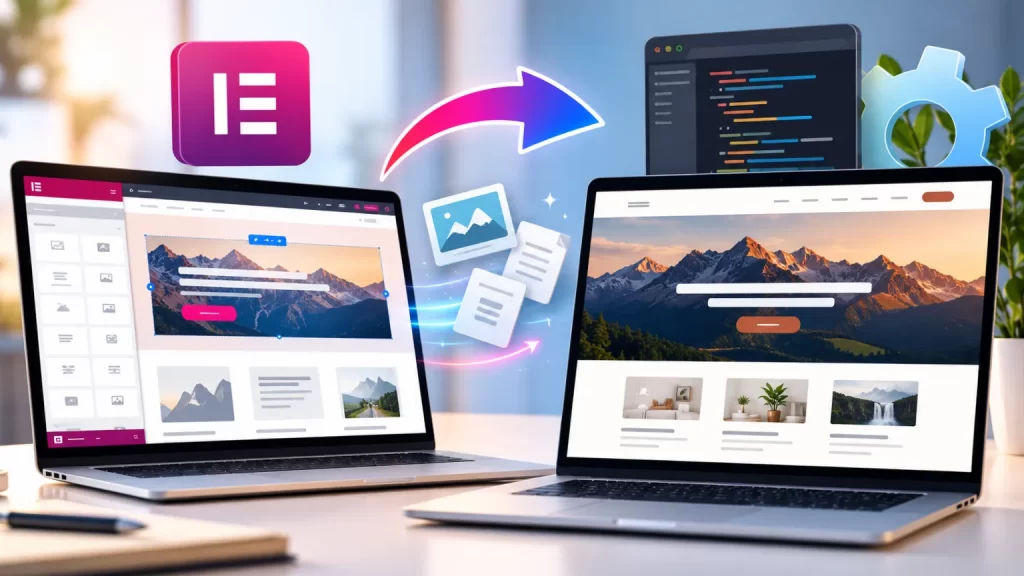
Elementor to custom theme conversion means rebuilding an existing Elementor website using a custom WordPress theme instead of depending on Elementor for the primary page layouts.
The process can involve converting:
- Elementor sections
- Elementor widgets
- Headers
- Footers
- Homepage layouts
- Page templates
- Blog layouts
- Archive templates
- Custom sections
- Forms
- Responsive designs
The final website can use WordPress’s native theme structure with custom PHP, HTML, CSS and JavaScript where required.
9 Powerful Benefits of Elementor to Custom Theme Conversion
1. Lightweight Website Structure
A custom theme can be built specifically for the website instead of loading functionality that is not required.
Developers can control:
- Template files
- CSS
- JavaScript
- WordPress functions
- Components
- Assets
This can result in a cleaner website structure.
2. Better Performance Control
Website performance can be affected by the amount of CSS, JavaScript and frontend functionality being loaded.
During Elementor to custom theme conversion, unnecessary builder-related elements can be removed from templates where they are no longer needed.
Performance work can include:
- Optimized CSS
- Conditional JavaScript
- Optimized images
- Fewer frontend dependencies
- Efficient template structure
- Reduced unnecessary requests
However, actual performance depends on hosting, plugins, images, third-party scripts and the complete website architecture.
3. More Control Over the Design
Elementor provides visual controls, but a custom theme gives developers direct control over the website’s markup and styling.
This makes it easier to implement specific:
- Typography
- Spacing
- Animations
- Responsive layouts
- Components
- Buttons
- Navigation
- Product sections
- Custom interactions
The website can be developed around the exact design rather than adapting the design to the available page-builder widgets.
4. Cleaner WordPress Templates
A custom theme can use dedicated templates for different types of content.
For example:
front-page.phppage.phpsingle.phparchive.phpsingle-product.php- Custom post type templates
This can make the website structure easier for developers to understand and maintain.
WordPress provides official documentation through its Theme Handbook for developers working with custom WordPress themes.
5. Reduced Dependency on Elementor
When the website’s core layouts are rebuilt as theme templates, the site becomes less dependent on Elementor for those layouts.
This can be useful when a business wants greater control over its future development.
The conversion does not necessarily mean removing Elementor from every part of the website. Some projects may keep Elementor for selected pages while using custom templates for other sections.
6. Easier Custom Development
Custom themes can be useful when a website requires functionality that is difficult to implement efficiently through page-builder widgets.
Developers can directly create custom:
- Components
- Templates
- Post types
- Queries
- Filters
- APIs
- WooCommerce layouts
- Interactive sections
For more advanced WordPress functionality, custom WordPress plugin development can be used alongside the custom theme.
7. Better Responsive Control
A custom theme provides direct control over how elements behave across different screen sizes.
The developer can create specific layouts for:
- Desktop
- Laptop
- Tablet
- Mobile
This can be particularly useful for websites with complex designs that require different spacing, typography or positioning on mobile devices.
8. Easier Long-Term Maintenance
A custom theme can be structured around the actual website rather than a large collection of page-builder elements.
Developers can organize:
- Template files
- CSS
- JavaScript
- Components
- Functions
- Reusable sections
This can make future development easier when the business needs design changes or new functionality.
9. Greater Scalability
A custom WordPress theme can be designed with future requirements in mind.
For example, a business may later need:
- Custom post types
- WooCommerce
- Membership functionality
- Advanced search
- Custom filters
- API integrations
- Custom dashboards
- Dynamic content
A properly structured theme can provide a flexible foundation for these additions.
Elementor Website vs Custom WordPress Theme
| Feature | Elementor Website | Custom Theme |
|---|---|---|
| Visual editing | Yes | Usually code-based |
| Design flexibility | High | High |
| Code control | Limited | High |
| Template control | Builder-based | Direct |
| Custom functionality | Plugins/widgets | Theme + plugins |
| Performance control | Depends on setup | Direct control |
| Developer control | Moderate | High |
| Long-term customization | Depends on setup | High |
Both approaches can work well. The right option depends on the website’s requirements, existing architecture and maintenance plans.
Why Convert Elementor to a Custom Theme?
Not every Elementor website needs conversion.
It can make sense when a website has requirements such as:
- Highly customized design
- Performance optimization
- Large numbers of custom templates
- Complex dynamic content
- Custom WooCommerce layouts
- Reduced builder dependency
- Developer-controlled architecture
A conversion should be based on an actual business or technical requirement rather than simply removing Elementor.
Elementor to Custom Theme Conversion Process
Step 1: Website Audit
The existing website is reviewed to identify:
- Pages
- Templates
- Elementor widgets
- Plugins
- Custom CSS
- Custom JavaScript
- Dynamic content
- Forms
- Integrations
Step 2: Design Analysis
The existing Elementor layouts are analyzed section by section.
This includes:
- Header
- Footer
- Homepage
- Inner pages
- Blog
- Archive pages
- Custom sections
Step 3: Theme Structure
A custom WordPress theme structure is created according to the website requirements.
Step 4: Template Development
Existing Elementor layouts are rebuilt using WordPress theme templates and custom components.
Step 5: Responsive Development
Desktop, tablet and mobile layouts are implemented and tested.
Step 6: Functionality Integration
Forms, custom post types, WooCommerce and other required functionality are connected to the new theme.
Step 7: Testing
The website is tested for:
- Navigation
- Forms
- Links
- Responsive layouts
- Browser compatibility
- Performance
- WooCommerce functionality where applicable
Step 8: Launch
After testing and backup, the custom theme can replace the existing frontend implementation.
Can Elementor Be Removed Completely?
Yes, if the entire website has been successfully rebuilt without Elementor dependencies.
However, this should be done carefully.
Some Elementor widgets may be responsible for:
- Forms
- Dynamic content
- Popups
- Templates
- Sliders
- Custom sections
These features need to be replaced before Elementor is disabled.
The goal is to make sure the website continues working correctly after the conversion.
SEO During Elementor to Custom Theme Conversion
SEO should be considered during the rebuild.
Important elements include:
- Existing URLs
- Page titles
- Meta descriptions
- Headings
- Internal links
- Image ALT text
- Canonical URLs
- Schema
- XML sitemap
- Mobile usability
Google’s SEO Starter Guide provides guidance for creating search-friendly websites.
The conversion should not unnecessarily change existing URLs or remove valuable content.
Website Speed After Conversion
One reason businesses consider Elementor to custom theme conversion is greater control over frontend resources.
A custom theme can load CSS and JavaScript according to the actual requirements of the website.
For example, a script needed only for one interactive section does not necessarily need to load across every page.
Performance optimization can also include:
- Image optimization
- Font optimization
- CSS optimization
- JavaScript optimization
- Lazy loading
- Browser caching
- Database optimization
For websites that require dedicated performance work, a website speed optimization service can be used alongside the theme conversion.
Custom Theme for WooCommerce
A custom theme can also be developed for WooCommerce websites.
WooCommerce templates can be customized for:
- Shop page
- Product archive
- Single product
- Cart
- Checkout
- Account page
- Product filters
- Product comparison
This allows the ecommerce design to match the rest of the website.
Custom Theme for Dynamic Websites
A custom theme is particularly useful when a website uses dynamic content.
Examples include:
- Properties
- Courses
- Books
- Events
- Case studies
- Services
- Team members
- Products
Custom WordPress templates can display this information according to the website’s content structure.
Common Mistakes to Avoid
Rebuilding Without an Audit
Important Elementor functionality can be missed if the existing website is not reviewed first.
Changing URLs Unnecessarily
Changing URLs during conversion can create SEO and usability issues.
Removing Elementor Too Early
Elementor should only be removed after its required functionality has been replaced.
Ignoring Mobile Layouts
Desktop designs cannot simply be copied to mobile without testing.
Keeping Unused Code
A custom theme should not simply reproduce unnecessary code from the old website.
Forgetting Forms
Contact forms, lead forms and other integrations should be tested after conversion.
How Much Does Elementor to Custom Theme Conversion Cost?
The cost depends on the complexity of the existing website.
A simple website with a few pages may require relatively little development.
A larger website may include:
- Dozens of Elementor templates
- Custom post types
- WooCommerce
- Dynamic content
- Custom animations
- API integrations
- Complex responsive layouts
Therefore, the website should be audited before providing an accurate development estimate.
Frequently Asked Questions
What is Elementor to custom theme conversion?
It is the process of rebuilding an Elementor-based WordPress website using a custom WordPress theme.
Will my existing content be lost?
No. With proper planning, existing pages, posts, images and other required content can be retained.
Can Elementor be removed after conversion?
Yes, if all required Elementor functionality has been successfully replaced.
Will the website become faster?
A custom theme can provide greater control over frontend code and assets, but the actual speed improvement depends on the existing website and other performance factors.
Can WooCommerce be included?
Yes. A custom theme can include customized WooCommerce templates and ecommerce layouts.
Will SEO be affected?
SEO can be preserved when URLs, content, metadata and important technical elements are handled correctly during the conversion.
Can the custom theme be updated later?
Yes. A properly structured custom theme can be maintained and expanded as the website grows.
Do I need a custom plugin as well?
Not always. Theme-related presentation should generally remain in the theme, while functionality that needs to remain independent of the design can be developed as a plugin.
Final Thoughts
Elementor to custom theme conversion can give businesses greater control over their WordPress website’s design, code, performance and future development.
The process involves more than simply recreating the visual design. A successful conversion should preserve important content and functionality while creating a clean, responsive and maintainable theme structure.
For websites with complex designs, performance requirements or long-term custom development plans, a properly planned custom WordPress theme can provide a flexible foundation for future growth.