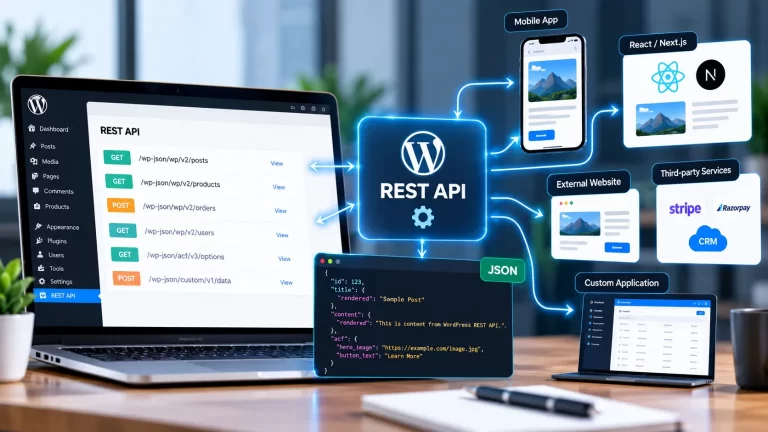
Headless WordPress development India is becoming a useful approach for businesses that want the flexibility of WordPress as a content management system while using modern frontend technologies to deliver the website experience. In a traditional WordPress website, WordPress manages both the backend and frontend. With a headless setup, WordPress can continue managing content while a separate frontend application displays that content to visitors.
Table of Contents
This architecture can be useful for websites that require highly customized interfaces, fast frontend experiences, multiple platforms or advanced integrations.
Businesses looking for custom WordPress solutions can work with a professional WordPress development company to plan and develop a headless architecture based on their requirements.
What Is Headless WordPress Development?
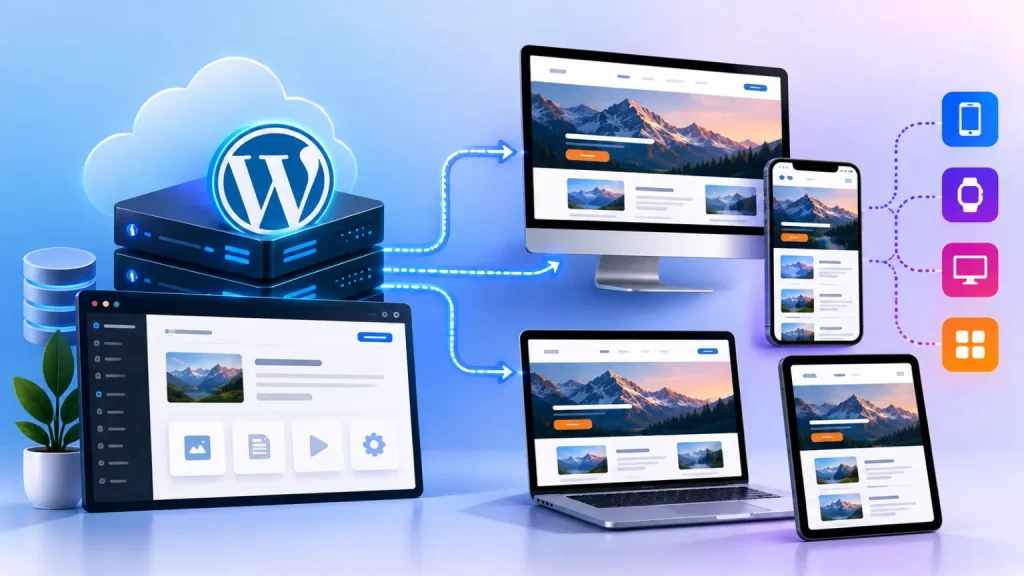
Headless WordPress development India separates the WordPress backend from the frontend presentation layer.
WordPress remains responsible for managing content such as:
- Pages
- Blog posts
- Images
- Authors
- Categories
- Custom post types
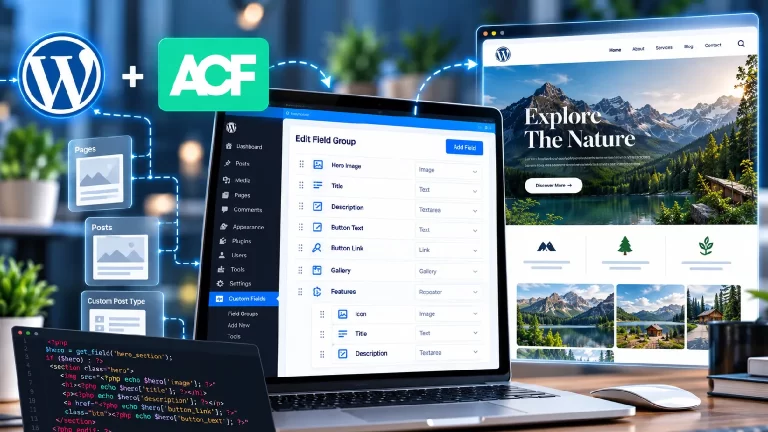
- Custom fields
The frontend can be developed using technologies such as:
- React
- Next.js
- Vue
- Nuxt
- Gatsby
- Other JavaScript frameworks
The frontend communicates with WordPress through APIs.
A simplified architecture looks like this:
WordPress CMS → API → Modern Frontend → Website Visitor
This gives developers more control over how content is displayed.
9 Powerful Benefits of Headless WordPress Development India
1. Flexible Frontend Development
One of the biggest advantages of headless WordPress development India is frontend flexibility.
Developers are not limited to traditional WordPress theme templates.
They can create custom interfaces using modern frontend frameworks and technologies.
This can be useful for:
- SaaS websites
- Corporate platforms
- Publishing websites
- Digital libraries
- Ecommerce platforms
- Web applications
- Content-heavy websites
The frontend can be designed specifically around the user experience instead of relying on a conventional WordPress theme structure.
2. Modern User Experience
Headless architecture allows developers to create highly interactive interfaces.
For example, a website can include:
- Dynamic filtering
- Instant search
- Smooth page transitions
- Interactive dashboards
- Personalized content
- Dynamic product interfaces
- Application-style navigation
This can create an experience that feels more like a modern web application.
3. Multiple Frontend Platforms
One WordPress backend can potentially provide content to multiple frontend applications.
For example:
WordPress CMS → Website
WordPress CMS → Mobile App
WordPress CMS → Web Application
WordPress CMS → Digital Display
This can be useful for organizations that want to manage content from one central location.
4. Better Frontend Performance
A headless architecture can provide greater control over frontend performance.
A modern frontend can be optimized for:
- Smaller JavaScript bundles
- Optimized images
- Static generation
- Server-side rendering
- Efficient caching
- CDN delivery
- Reduced unnecessary WordPress frontend requests
However, headless architecture does not automatically make every website faster. Hosting, API performance, frontend code, images and third-party services still affect the final result.
5. Improved Scalability
Headless WordPress development India can be useful for businesses expecting their website or application to grow.
The backend and frontend can be scaled independently depending on the architecture.
For example, a high-traffic content website may require additional frontend resources without needing to completely change the WordPress content management system.
This separation can provide more flexibility as the project expands.
6. Better Security Separation
With a traditional WordPress website, the WordPress installation directly serves the public frontend.
In a headless setup, WordPress can be separated from the public-facing frontend.
This can reduce the frontend’s direct dependency on the WordPress theme layer.
However, security still requires proper configuration of:
- WordPress authentication
- API access
- User permissions
- Hosting
- Database
- Frontend application
- Server infrastructure
WordPress provides official REST API documentation for developers building applications that communicate with WordPress content.
7. Easier Integration With Modern Technologies
Headless WordPress can communicate with other systems through APIs.
Possible integrations include:
- CRM
- ERP
- Mobile apps
- Ecommerce systems
- Membership platforms
- Search services
- Marketing platforms
- Custom databases
- External APIs
For businesses requiring complex integrations, this architecture can provide more flexibility than a traditional theme-based website.
8. Reusable Content
With headless WordPress, content can be managed centrally and delivered to different applications.
For example, a publishing company could manage an article once in WordPress and potentially display it across:
- Website
- Mobile application
- Member portal
- Digital library
- Internal application
This reduces the need to recreate the same content in multiple systems.
9. Future-Ready Architecture
Technology requirements can change over time.
A business may initially need only a website but later require a mobile application or web application.
With a well-planned headless architecture, WordPress can continue acting as the content management system while new frontend applications are developed separately.
This can make the architecture more adaptable to future requirements.
Traditional WordPress vs Headless WordPress
| Feature | Traditional WordPress | Headless WordPress |
|---|---|---|
| CMS | WordPress | WordPress |
| Frontend | WordPress theme | Separate frontend |
| API usage | Optional | Core part of architecture |
| Design flexibility | High | Very high |
| Frontend framework | Usually PHP-based | React/Next.js/Vue etc. |
| Mobile app integration | Possible | Easier to structure |
| Development complexity | Lower | Higher |
| Hosting architecture | Simpler | More advanced |
| Content reuse | Possible | Strong use case |
Both approaches can be effective. The appropriate architecture depends on the project’s requirements, budget, team and technical complexity.
How Does Headless WordPress Work?
The basic workflow is:
Content Creation → WordPress CMS → API → Frontend Application → Visitor
For example, an administrator creates a blog post in WordPress.
The frontend application requests that content through the WordPress REST API or another API layer.
The frontend then displays the article using its own components and design.
This allows the content management experience and frontend experience to remain separate.
Headless WordPress With Next.js
Next.js is one possible frontend technology for a headless WordPress project.
A developer can use WordPress for content management while Next.js handles the frontend.
This combination can support features such as:
- Server-side rendering
- Static generation
- Dynamic routes
- API integration
- Image optimization
- Modern frontend components
The exact architecture depends on the website’s content and performance requirements.
Headless WordPress for Ecommerce
Headless architecture can also be used for ecommerce websites.
A business may use WordPress and WooCommerce for backend ecommerce management while a separate frontend handles the shopping experience.
This can provide greater control over:
- Product pages
- Product filters
- Search
- Cart interfaces
- Checkout experience
- Personalized shopping
- Interactive product displays
For businesses that require complex WooCommerce functionality, custom WooCommerce plugin development can be combined with a suitable frontend architecture.
Headless WordPress for Publishing Websites
Publishing businesses can benefit from centralized content management.
A publishing platform may have:
- Articles
- Authors
- Categories
- Books
- Publications
- Media
- Research content
WordPress can manage this content while the frontend provides a custom reading experience.
This can be particularly useful for publishers, magazines, academic platforms and content-heavy websites.
Headless WordPress for Digital Libraries
Digital libraries often require advanced search and filtering.
A headless architecture can provide a custom interface for:
- Books
- Authors
- Categories
- Subjects
- Digital resources
- Search
- Filters
WordPress can manage the content while the frontend provides a more application-like library experience.
SEO With Headless WordPress
SEO needs to be planned carefully when using a headless architecture.
Important areas include:
- Server-side rendering
- Metadata
- Canonical URLs
- Structured data
- XML sitemaps
- Internal linking
- Crawlable content
- Image optimization
- Page performance
Google’s Search Central documentation provides guidance for building search-friendly websites.
A headless website should not sacrifice important SEO elements simply for a modern frontend.
Headless WordPress and Mobile Applications
Another advantage is the ability to reuse WordPress content for mobile applications.
For example:
WordPress → API → Mobile App
The same content can potentially be displayed in an Android or iOS application without manually entering it again.
This can be useful for:
- News applications
- Educational applications
- Digital libraries
- Membership platforms
- Publishing applications
Custom WordPress API Development
Some projects require more than the standard WordPress REST API.
A custom API layer can be created for specific requirements.
For example:
- Custom authentication
- Custom content endpoints
- Product APIs
- Membership APIs
- Search APIs
- User dashboards
- External system integration
This allows the frontend to retrieve exactly the information it requires.
Performance Optimization for Headless WordPress
Performance should be considered at both the backend and frontend levels.
Important areas include:
- API response time
- Image optimization
- CDN
- Caching
- Database performance
- JavaScript bundles
- Frontend rendering
- Server configuration
A headless website should be tested using real devices and network conditions rather than relying only on development environments.
Common Headless WordPress Mistakes
Using Headless Architecture Without a Real Need
Not every WordPress website needs to become headless.
A simple company website may be easier and more cost-effective to manage using a traditional WordPress theme.
Ignoring API Performance
A slow API can affect the frontend experience.
Forgetting SEO
Metadata, URLs, structured data and crawlability need to be implemented correctly.
Making the Architecture Too Complex
Additional technologies increase development and maintenance requirements.
Poor Authentication
API-based systems need appropriate authentication and access controls.
Ignoring Content Editors
The WordPress backend should remain easy for administrators to use.
How Much Does Headless WordPress Development Cost?
The cost depends on the architecture and functionality.
A basic headless website may require:
- WordPress CMS
- API connection
- React or Next.js frontend
- Basic templates
A larger platform may require:
- Custom APIs
- WooCommerce
- User accounts
- Search
- Membership
- Mobile applications
- External integrations
- Advanced dashboards
Therefore, pricing should be determined after understanding the complete project requirements.
When Should You Choose Headless WordPress?
Headless WordPress may be suitable when you need:
- A highly customized frontend
- Multiple applications
- Advanced integrations
- Application-style interactions
- High frontend control
- Reusable content
- Modern JavaScript frameworks
A traditional WordPress website may be more appropriate when the primary requirements are:
- Company pages
- Blog
- Basic forms
- Simple service pages
- Easy administration
- Lower development complexity
How to Choose a Headless WordPress Development Company
Before hiring a development company, check its experience with:
- WordPress
- REST API
- React
- Next.js
- JavaScript
- PHP
- Custom plugins
- Database architecture
- SEO
- Performance optimization
The development team should also understand both WordPress backend development and modern frontend development.
Frequently Asked Questions
What is headless WordPress development India?
It is the process of using WordPress as the content management backend while using a separate frontend technology to display the website.
Is headless WordPress faster?
It can provide better performance opportunities, but speed depends on the frontend, hosting, API, database, images and overall architecture.
Can WordPress still be used as the admin panel?
Yes. WordPress can continue to manage pages, posts, media and other content.
Can Next.js be used with WordPress?
Yes. Next.js can be used as a frontend for a WordPress-powered website.
Can WooCommerce work with headless WordPress?
Yes. WooCommerce can be integrated into a headless architecture, although ecommerce functionality requires additional planning.
Is headless WordPress good for SEO?
Yes, provided the frontend properly implements metadata, crawlable content, URLs, structured data and other SEO requirements.
Can headless WordPress support mobile apps?
Yes. WordPress APIs can provide content to mobile applications and other digital platforms.
Is headless WordPress suitable for every website?
No. It is most useful when a project has specific technical or frontend requirements that justify the additional development complexity.
Final Thoughts
Headless WordPress development India provides a flexible way to combine WordPress content management with modern frontend technologies.
It can be useful for businesses that need highly customized interfaces, advanced integrations, multiple frontend applications or application-style experiences.
The key is to choose the architecture based on actual requirements rather than using headless development simply because it is a newer technology.
With proper planning, API development, frontend architecture, SEO implementation and performance optimization, WordPress can serve as a powerful content backend for modern digital experiences.