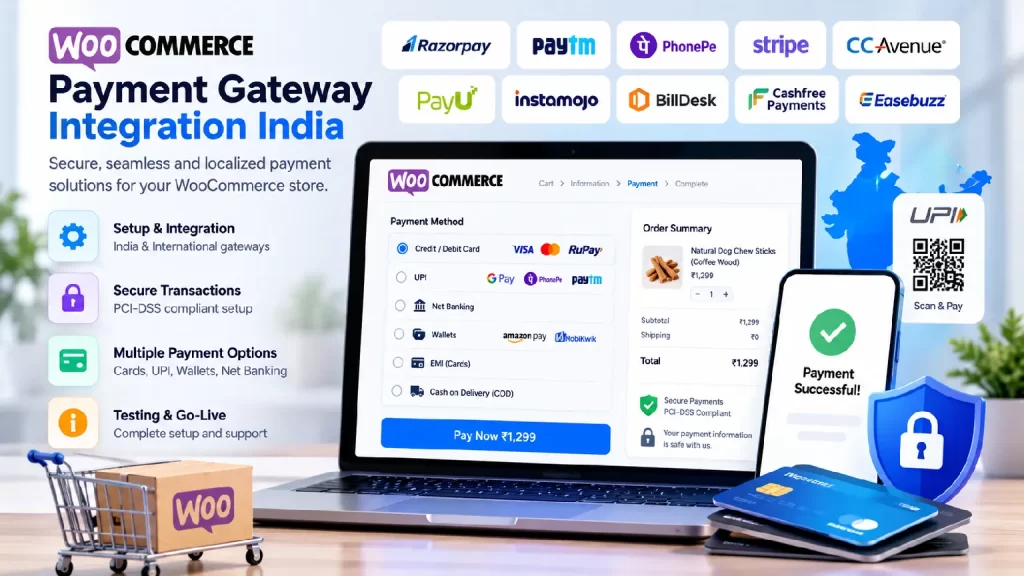
WooCommerce payment gateway integration India means connecting your WooCommerce store to a payment provider such as Razorpay, PayU, PhonePe, Cashfree or CCAvenue, so customers can pay by UPI, cards, net banking or wallets and your orders update automatically. A good integration also covers testing, refunds, webhooks, GST-ready invoicing and security, not only installing a plugin.
Checkout is where stores win or lose orders. A missing UPI option, a payment that succeeds but never marks the order as paid, or a refund that fails costs you sales and support time. This guide covers who needs WooCommerce payment gateway integration India-wide, what to compare when choosing a gateway, what a proper setup includes, 7 checks for choosing a developer, how projects are phased, and why NJ Technos can help.
Table of Contents
Who needs WooCommerce payment gateway integration India-wide?
| Who | What they typically need |
|---|---|
| New online stores | A first gateway, tested checkout and clear order statuses |
| Stores switching gateways | Migration of settings, refunds and reports without breaking orders |
| Stores with failed or stuck payments | A review of webhooks, order status handling and timeouts |
| Subscription and membership sites | Recurring payments and renewal handling |
| B2B and wholesale stores | Invoice-based payments, partial payments and approval flows |
| Stores selling abroad | Multi-currency and international card support |
| Marketplaces | Split payments and vendor payouts |
If you run a marketplace, read our guide on WooCommerce multi vendor marketplace development, because payouts add another layer to the payment setup.
Which payment gateway should you use?
There is no single best gateway. A good WooCommerce payment gateway integration India partner compares options against your business, not their habit. Use this table when you shortlist:
| What to compare | Why it matters |
|---|---|
| Payment methods | UPI, cards, net banking, wallets and other options your customers actually use |
| Fees and settlement time | Check each provider’s current plan, as pricing changes often |
| Subscriptions | Needed for recurring billing; some providers need a separate plugin |
| Refunds | Whether refunds can be issued from the WooCommerce dashboard |
| International payments | Multi-currency and foreign card support, if you sell abroad |
| Onboarding and KYC | How long approval takes and what documents are needed |
| Plugin quality | An official, regularly updated plugin is safer than an abandoned one |
| Support | How quickly the provider responds when a payment issue affects live orders |
For example, Razorpay publishes an official WooCommerce plugin on WordPress.org, and a separate Razorpay Subscriptions for WooCommerce plugin for recurring payments, which needs WooCommerce Subscriptions installed. Other providers have their own plugins or custom API options, so always check the current documentation before deciding.
What does WooCommerce payment gateway integration India-wide include?
A thorough WooCommerce payment gateway integration India project usually covers these 12 things:
- Gateway account and KYC. Make sure the merchant account is approved before development starts.
- Plugin setup and API keys. Install the right plugin and store keys securely.
- Test mode first. Run test payments before going live.
- Payment methods. Enable UPI, cards, net banking and wallets as needed, plus cash on delivery if you offer it.
- Webhooks. Confirm the gateway can tell WooCommerce when a payment succeeds, fails or is refunded.
- Order status handling. Map payment results to the right WooCommerce order statuses.
- Failed and pending payments. Handle timeouts, retries and customers who close the page mid-payment.
- Refunds. Test full and partial refunds from the dashboard.
- GST-ready invoices. Make sure invoices and receipts match your tax setup.
- Security. Use HTTPS, avoid storing card data on your server and keep the site hardened.
- Compatibility. Check the plugin works with your WooCommerce version, theme, checkout plugins and order storage settings.
- Mobile checkout testing. Many Indian shoppers pay on their phones, so test UPI and card flows on real devices.
Important: always take a backup and test changes on a staging copy first. A broken checkout on a live store means lost orders.
How do you choose a WooCommerce payment gateway integration India partner? 7 checks
These 7 checks help you shortlist the right WooCommerce payment gateway integration India partner.
1. Look at real WooCommerce checkout work
Ask for live stores they have built or fixed. Place a test order and see how the checkout feels on a phone.
2. Ask which gateway they’d use, and why
A good developer explains the trade-offs between providers for your products, customers and budget, instead of recommending the same gateway to everyone.
3. Confirm they handle webhooks and order statuses
Most payment problems come from orders that stay “pending” after a successful payment. Ask how webhooks and status updates are set up and tested.
4. Test failed, pending and refund flows
The happy path usually works. Ask how they test failed payments, duplicate payments, timeouts and refunds.
5. Check their security approach
Card data should be handled by the gateway, not stored on your server. Ask about HTTPS, API key storage and site security. Our WordPress security hardening service guide explains the wider picture, and the official WordPress hardening guide is a useful reference.
6. Make sure you own everything
Your gateway account, API keys, hosting, domain and plugin licences should be in your name, with a clear handover.
7. Agree on support and maintenance
Plugins, WooCommerce and gateway APIs change. Agree response times, monitoring and a maintenance plan, such as a website maintenance AMC, in writing.
How is a payment gateway project phased, and what affects cost?
Most projects with a WooCommerce payment gateway integration India partner follow these phases:
| Phase | What happens |
|---|---|
| 1. Discovery | Agree payment methods, gateway choice, currencies, refund rules and tax needs |
| 2. Audit | Review the existing checkout, plugins, theme and hosting |
| 3. Staging setup | Copy the store and install and configure the gateway there |
| 4. Integration | Set up keys, webhooks, order statuses, refunds and any custom logic |
| 5. Testing | Test every payment method, failures, refunds and mobile devices |
| 6. Go live | Switch to live keys and monitor the first real orders |
| 7. Support | Ongoing updates, monitoring and fixes |
What affects cost: the number of gateways and payment methods, subscriptions or split payments, custom checkout design, multi-currency needs, the state of the existing store, and the level of ongoing support. Gateway fees are charged by the provider and are separate from development cost. Ask for a written quote after the audit.
Why choose NJ Technos for WooCommerce payment gateway integration India?
NJ Technos is a Delhi-based web design and development company, working since 2006 and with 500+ websites built. As a WooCommerce payment gateway integration India partner, we bring:
- WooCommerce development experience. We build and customize WooCommerce stores, so we understand how themes, plugins and checkout fit together.
- Custom development when needed. If a standard plugin isn’t enough, we build custom features. See our custom WooCommerce plugin development India guide.
- A careful process. Backup first, test on staging, then go live, so your store keeps selling.
- Speed and security in mind. Checkout should be fast and safe. Read our WooCommerce speed optimization service guide.
- Support after launch. Website maintenance and support is one of our services.
Also read our guides on WooCommerce abandoned cart recovery setup and WordPress to WooCommerce migration service, and see all our services.
Need a payment gateway set up on your WooCommerce store?
Tell us about your store, products and preferred gateway, and we’ll recommend a clear plan and quote. Reach us through our contact page, email info@njtechnos.com or call +91 783 830 0319.
FAQs: WooCommerce payment gateway integration India
Add these with the Rank Math FAQ block so FAQPage schema is generated.
What is WooCommerce payment gateway integration India businesses need?
It connects your WooCommerce store to a payment provider so customers can pay online and orders update automatically. It includes setup, testing, webhooks, refunds and security.
Which payment gateway is best for WooCommerce in India?
There is no single best. Compare payment methods, fees, settlement time, subscription support, refunds, plugin quality and support, then choose based on your customers and business model.
Can WooCommerce accept UPI payments?
Yes, if your chosen gateway supports UPI and its WooCommerce plugin or integration enables it. Check your provider’s current documentation.
Why does my order stay pending after payment?
This usually points to a webhook or order status problem. A developer can check the gateway’s callbacks, server settings and plugin conflicts.
Can I use more than one payment gateway?
Yes. WooCommerce can show several payment methods at checkout, though each one needs its own setup and testing.
How long does payment gateway integration take?
It depends on the gateway approval time, the number of payment methods and any custom features. Merchant account approval can take longer than the development itself.
Do you work with clients outside Delhi?
Yes. NJ Technos is based in Delhi and works with clients across India.
Final verdict: WooCommerce payment gateway integration India
A good WooCommerce payment gateway integration India project starts with the right gateway, then gets the details right: webhooks, order statuses, refunds, security and mobile testing. Choose a partner who tests on staging, explains trade-offs honestly, makes sure you own every account and key, and stays available after launch.
If you need WooCommerce payment gateway integration India businesses can rely on, NJ Technos has been building and supporting WordPress and WooCommerce websites since 2006.
Let’s fix your checkout
Share your store, products and gateway preferences, and we’ll recommend a clear plan. Contact us through our contact page.
Notes before publishing: Confirm gateway-specific details against each provider’s current documentation, as features and pricing change. Rank Math checklist: add the featured image inside the post content with the alt text “WooCommerce payment gateway integration India”, mark external links as DoFollow, and keep the focus keyword in the first paragraph, in the headings and at about 1% density.